Start with the pattern, not the panic
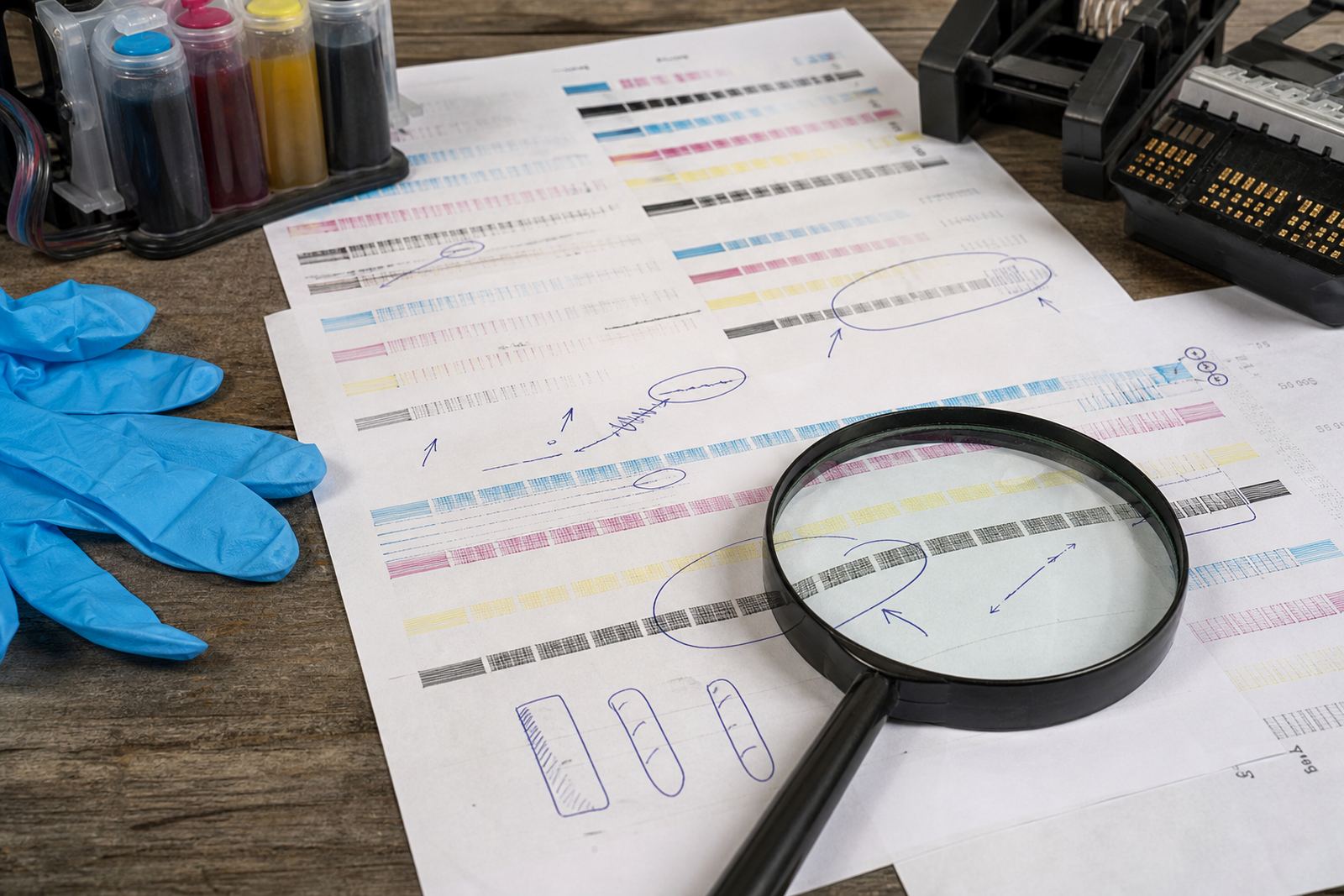
A nozzle test is a small print made to show whether every channel is firing evenly. If the lines are crisp and unbroken, the head is passing ink well. If you see blank runs, thin lines or stepped breaks, the issue is usually sitting in the ink path, not in the document itself.
Many offices notice the first signs after a cartridge has sat unused over a long weekend, or after a refill system has been moved and the lines picked up air. In Westville and along the Durban coast, warm air and humidity can also affect how ink sits in the head and on paper, especially when a machine is idle for stretches.
- Clean, solid lines usually point to a healthy channel.
- Missing strips often show a blocked nozzle or empty path.
- Faint colour can mean low ink, air, or a weak feed.
What line breaks are really telling you
When a test print shows breaks in the same place each time, that channel is not pulling ink through properly. A one-off break can sometimes clear after a normal maintenance cycle, but repeated breaks need closer checking. If black prints well and cyan is missing, the problem is not the whole machine, only that colour path.
Wide-format users see this often on machines that sit overnight and then start a long run the next morning. The first test print may look rough, then improve after a careful clean. That does not always mean the issue is solved, it may only mean the ink has begun moving again.
- Breaks in one colour often point to that channel alone.
- Breaks across all colours can suggest air, low supply or a wider feed issue.
- Short repeated gaps often mean the nozzles are partially blocked.
Missing colours and what they point to
If one colour is absent from the nozzle test, do not assume the cartridge is bad straight away. It may be underfilled, badly seated, or carrying a chip issue that stops the printer from reading it properly. In bulk ink systems, a missing colour can also mean the bottle feed is low, a line has air in it, or the valve is not open correctly.
Artists and design studios often notice this when a bright colour drops out mid-job. A missing magenta or yellow can flatten a proof very quickly, and the problem may be easy to misread as a file issue. The nozzle test removes that guesswork by showing which colour is actually failing.
- No colour at all can mean no feed, no recognition, or a full blockage.
- One pale colour can suggest low ink or a weak channel.
- Several missing colours may point to the head needing care, not just refilling.
Repeated gaps often mean more than one thing
Repeated gaps in a pattern are worth taking seriously because they usually point to a recurring interruption in the ink flow. That can happen when a cartridge was refilled badly, when a refill kit left tiny air pockets, or when a line in a CISS system has not been primed fully. The print may still look usable at a glance, but the test sheet shows where the weakness sits.
In Durban offices, this often shows up after a printer has been moved between rooms or after someone has cleaned it too aggressively. A head can dry out slightly, then start missing regular bands on the test print. The fix is usually measured and careful, not a long series of deep cleans that waste ink.
- Repeating gaps can mean air in the line.
- Regular blank marks can point to a partially blocked nozzle set.
- Gaps after a move often need priming and alignment checks.
A local example from Westville to Cape Town
A small studio in Westville called for help after its colour proof showed broken cyan and uneven black. The first instinct was to replace the cartridge, but the nozzle test showed a different story. Cyan had a weak line pattern, while black was patchy in a repeating rhythm. That pointed to feed trouble and a head that needed cleaning, not a dead machine.
After the refill path was checked, the line was primed properly and the test was printed again. The result improved because the faults were read in order, not guessed at. That same process helps offices in Johannesburg, Pretoria and Cape Town too, especially where teams do their own refills and need a clear read on what the print is saying.
- Test first, then decide on cleaning or refill work.
- Read each colour on its own, not as one mixed result.
- Use the pattern to avoid wasting ink on the wrong fix.
Keeping the next test print cleaner
Good nozzle readings start with steady habits. Keep cartridges sealed until needed, store ink in a cool dry place, and avoid leaving a refill system half-primed for long periods. If a printer sits unused, run a basic check before a busy day rather than waiting for a job to fail halfway through.
Recycled empties also matter. A cartridge that has been handled roughly, overfilled, or left to dry out can produce confusing results later. If you use chip resetters in general terms, make sure the cartridge itself is in good condition first. The reset only helps if the physical fill and nozzle path are worth reading at all.
- Keep lids, seals and caps in place when not in use.
- Match dye or pigment ink to the job and the machine.
- Keep empties clean if they are returning into a refill cycle.